Environmental Risk

Part 1

Aims


Tips on R

Data visualization

Analyse a real data set

Impact of bleaching on coral cover in Mo’orea

RStudio


Programming language

Special language for statistical analyses and visualizations

Interface to R

Provides a layout and functions that make it easier and more efficient to use R

RStudio Projects

Keeps data, scripts, and plots on one place

Can be moved and shared easily


# Instead of
data <- read.csv("C:/Users/Andi/Documents/R/envrisk/data/coralcover.csv")

# You can use
data <- read.csv("data/coralcover.csv")

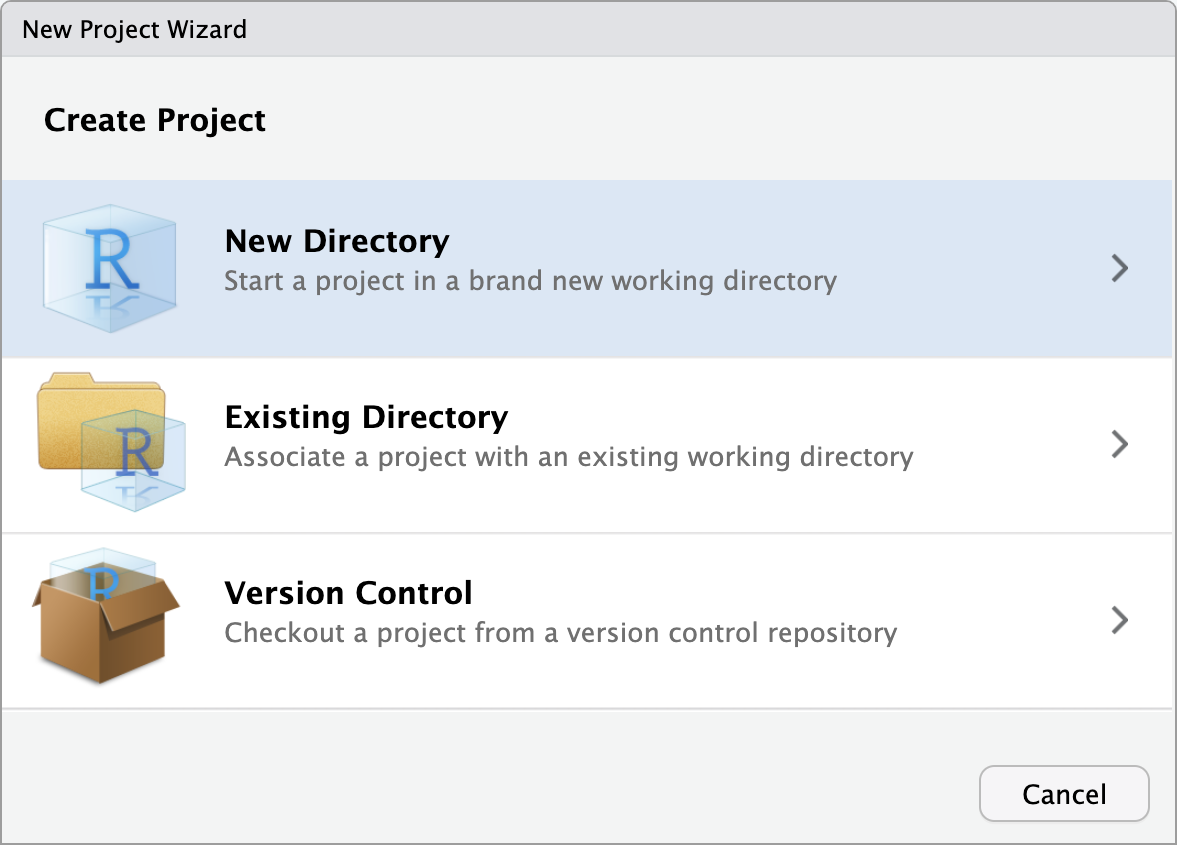
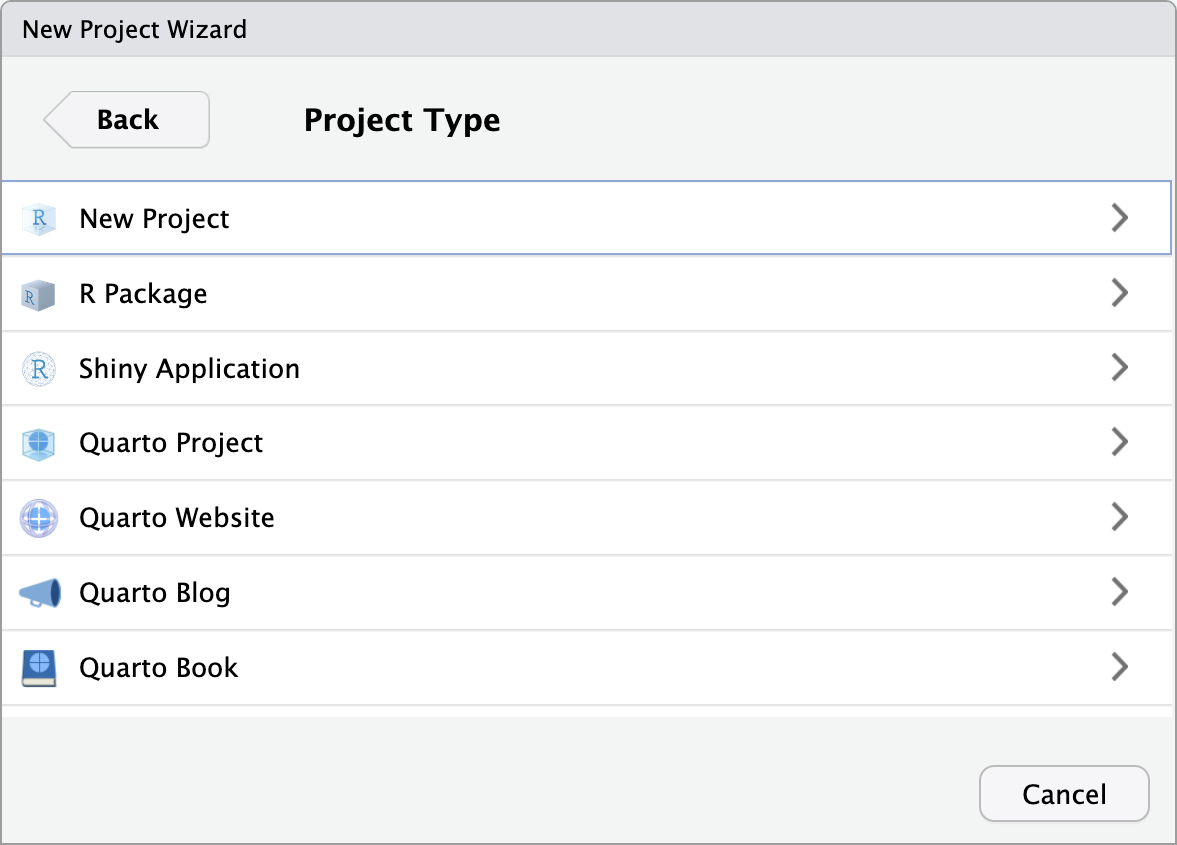
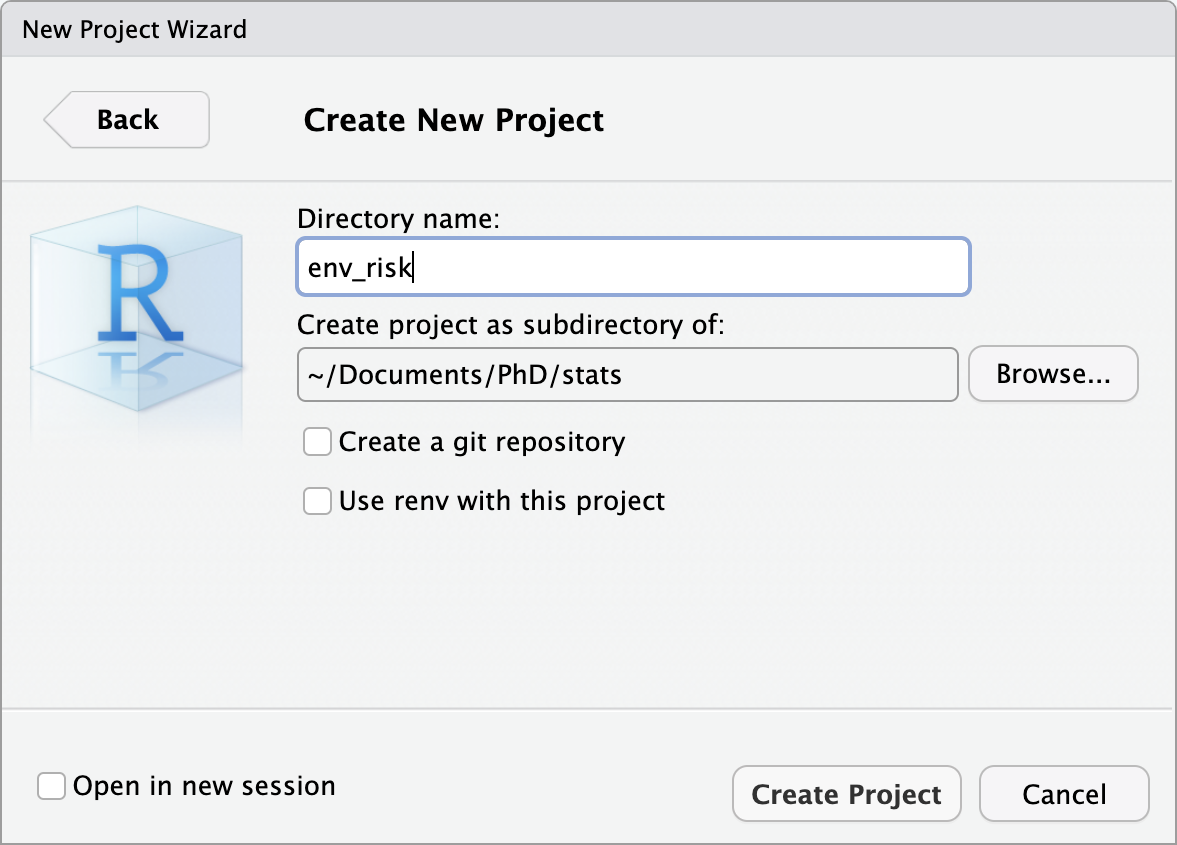
Create Project


FileNew Project…


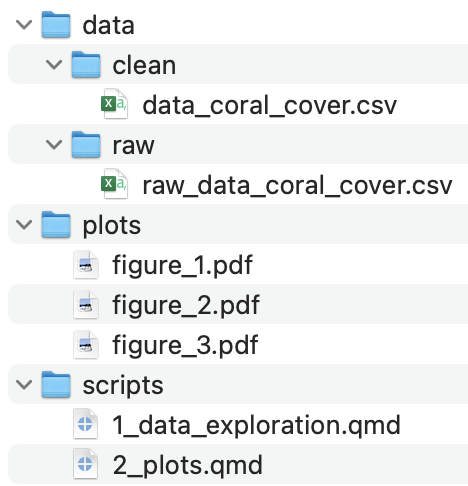
Folder Structure

data: All data used for you analysis. Keep in it a folder with all raw data that you do not touch

scripts: All scrips for your analysis. You can keep it organised with numbers, e.g.

  • 1_data_exploration.qmd

  • 2_plots.qmd

plots: Plots generated during your analysis

Use Quarto Documents

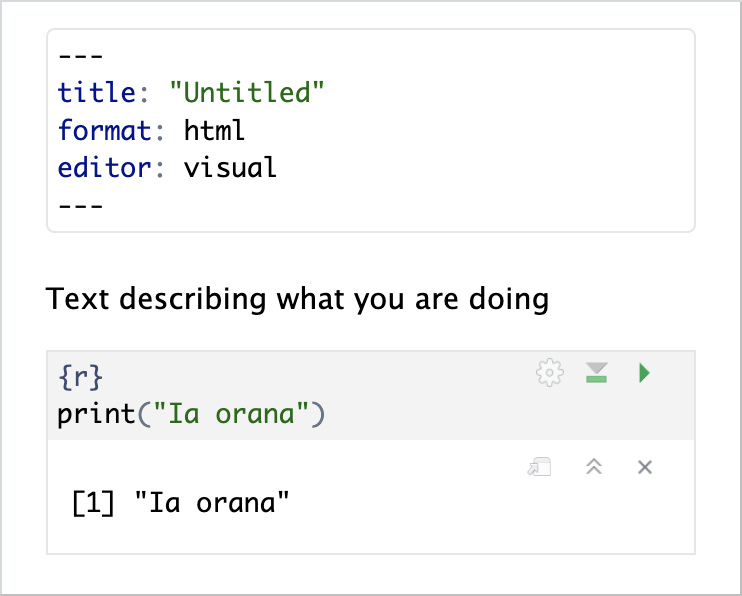
  • Mix of text, R code, and output (plots, tables, …)

  • Can be exported to HTML, PDF

  • For presentations, manuscripts, websites, etc.

Use Quarto Documents


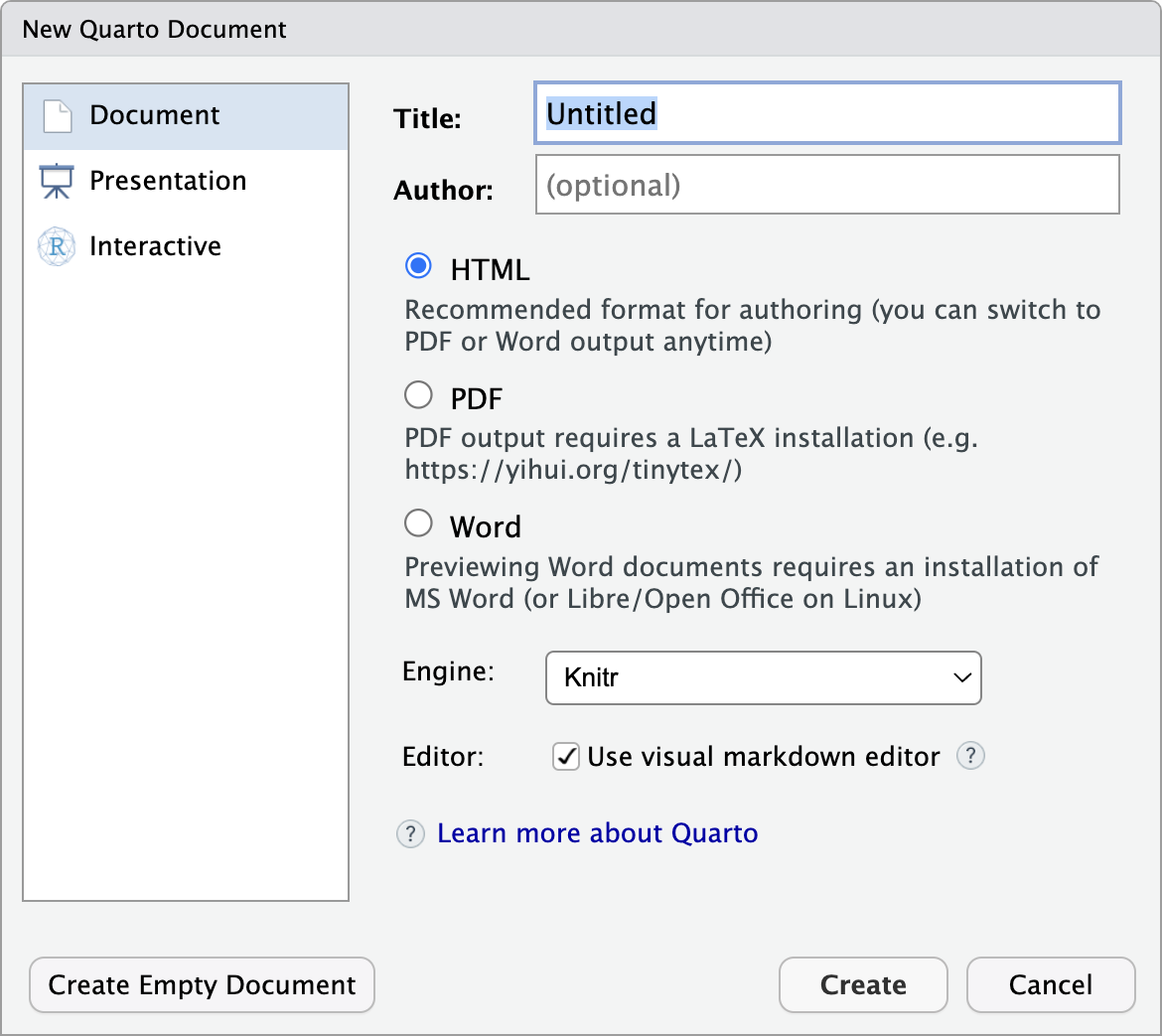
FileQuarto Document…Create Empty Document

Use Quarto Documents

Insert R code with or on Mac Option-Command-I or Windows Control-Alt-O

Use Quarto Documents

Task 1.1

  1. Create a project

  2. Create the folders scripts, data, and plots

  3. Create an empty Quarto Document

  4. Try out to write text and some simple R code like print(“Hello”)

tidyverse package

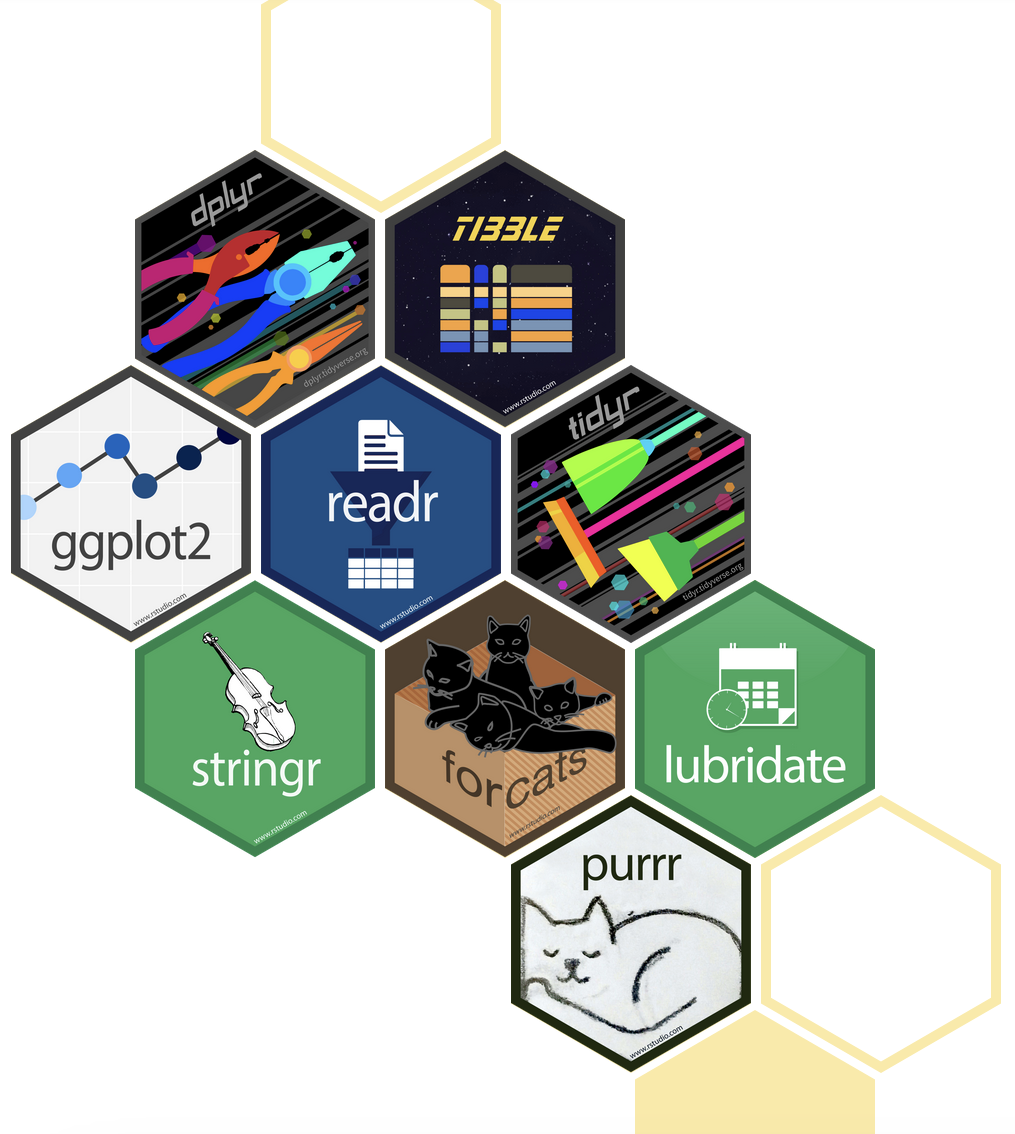
  • Collection of packages for data manipulation and visualization (e.g. ggplot2, dplyr, etc.)

  • Includes most functions needed for initial data analysis

library(tidyverse)

Introduction to ggplot2 package

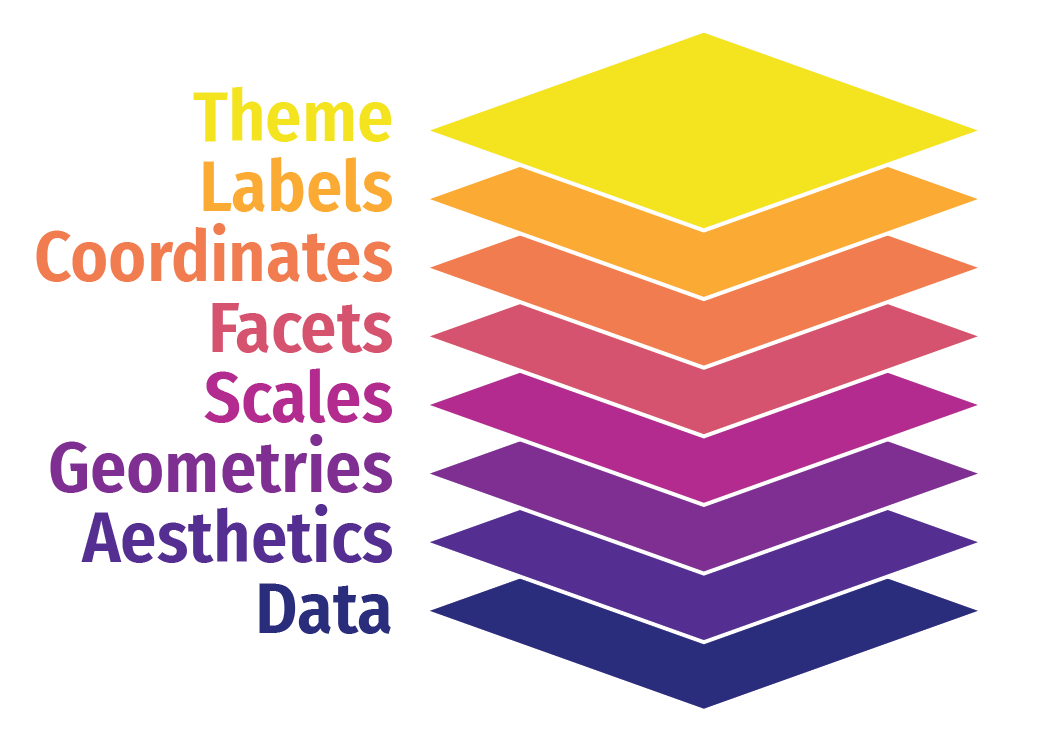
Workflow

  1. Data
  2. Mapping: x and y coordinates, colors, point shapes, etc (aes())
  3. Layer type: points, lines, etc (geom_...())
  4. Additional formatting, as subplots, specific colors, labels, plot title, etc.
  5. Themes for text size, style, etc.

Introduction to ggplot2 package
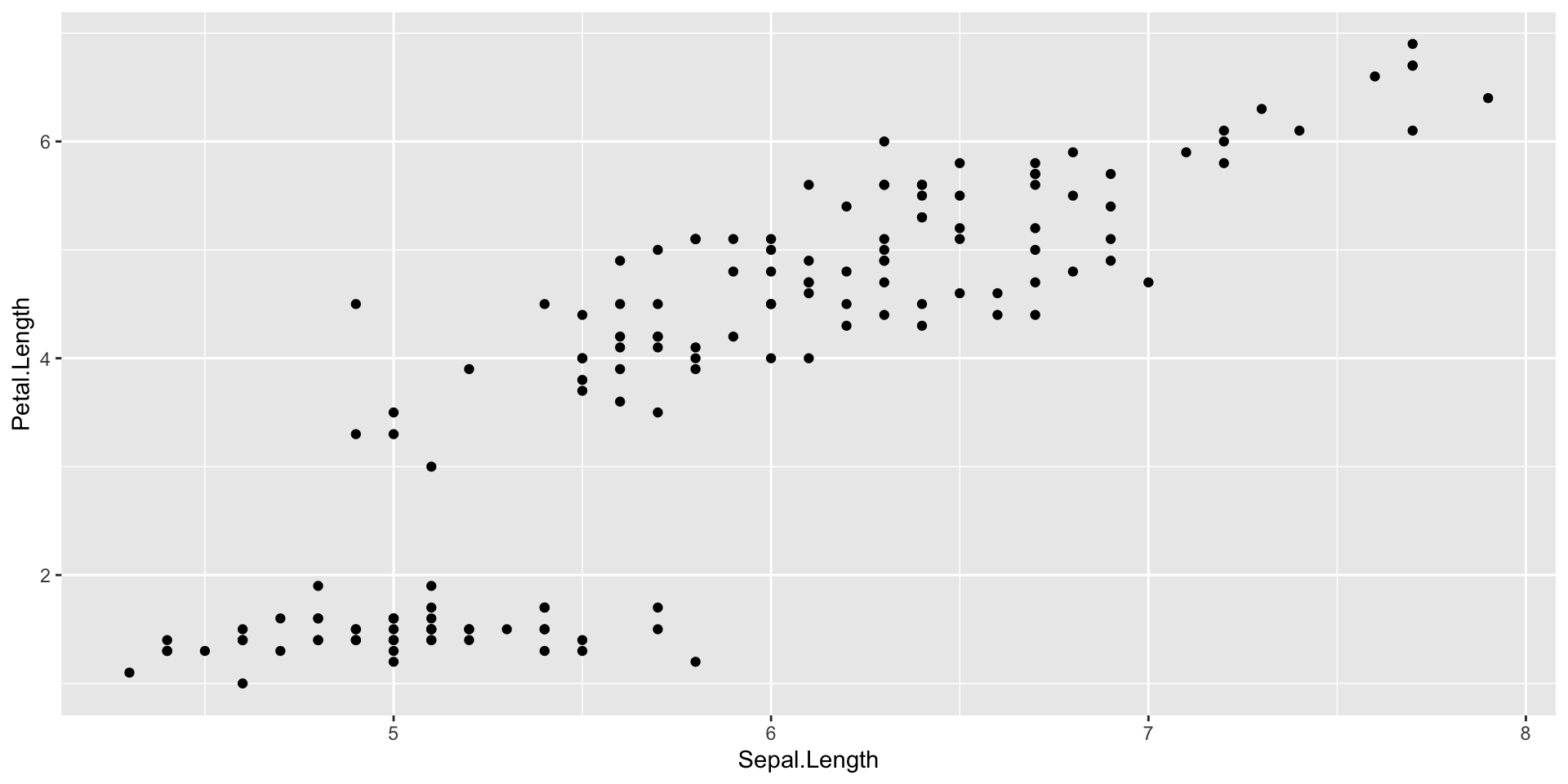
ggplot(data = iris)

Add data to ggplot

Introduction to ggplot2 package

ggplot(data = iris)+
  geom_point(aes(x = Sepal.Length, y = Petal.Length))

Add a point layer

Define which columns should be plotted on x and y axis in aes()

Introduction to ggplot2 package

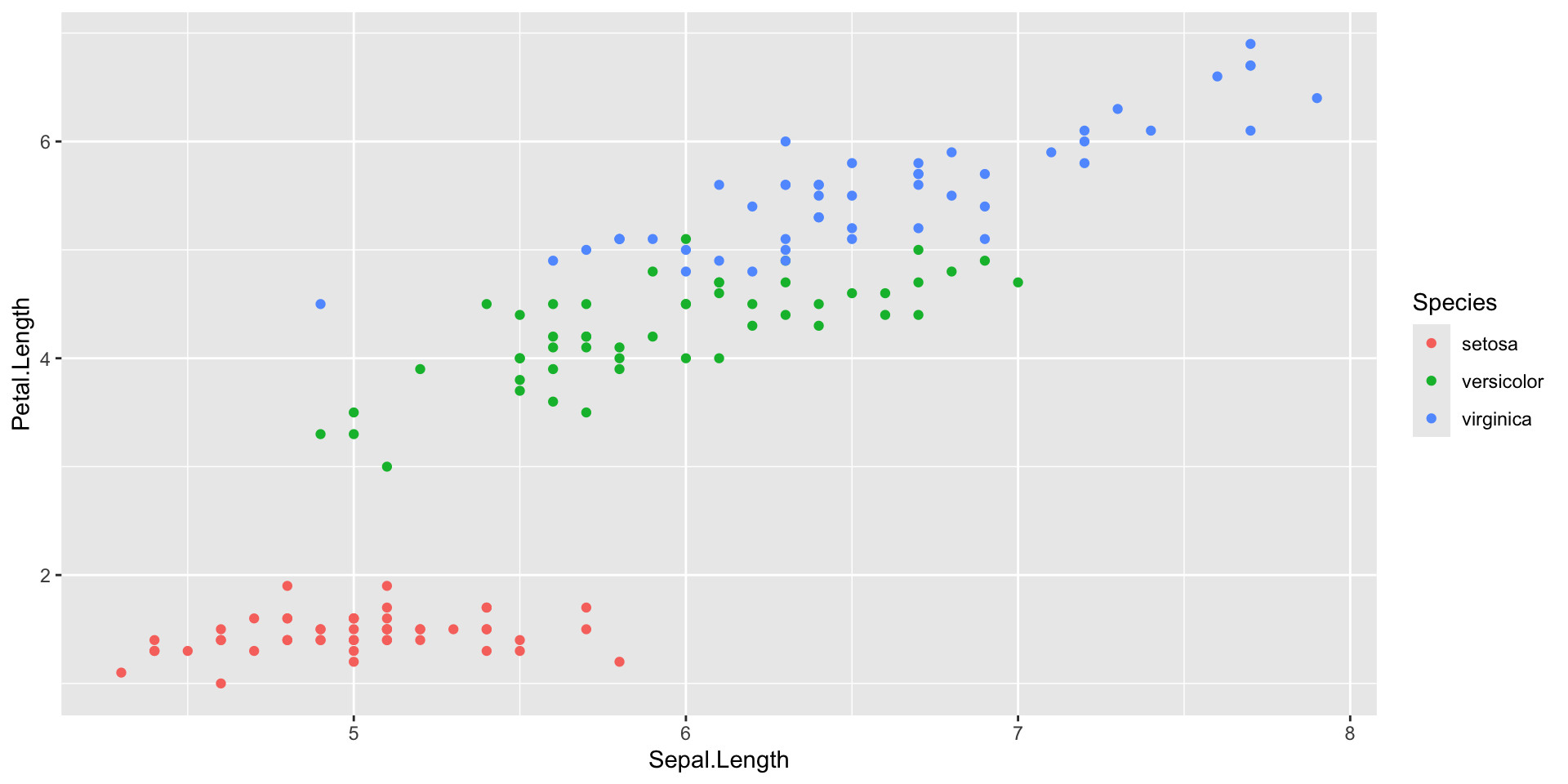
ggplot(data = iris)+
  geom_point(aes(x = Sepal.Length, y = Petal.Length, 
                 colour = Species))

Use different colors based on a column

Introduction to ggplot2 package

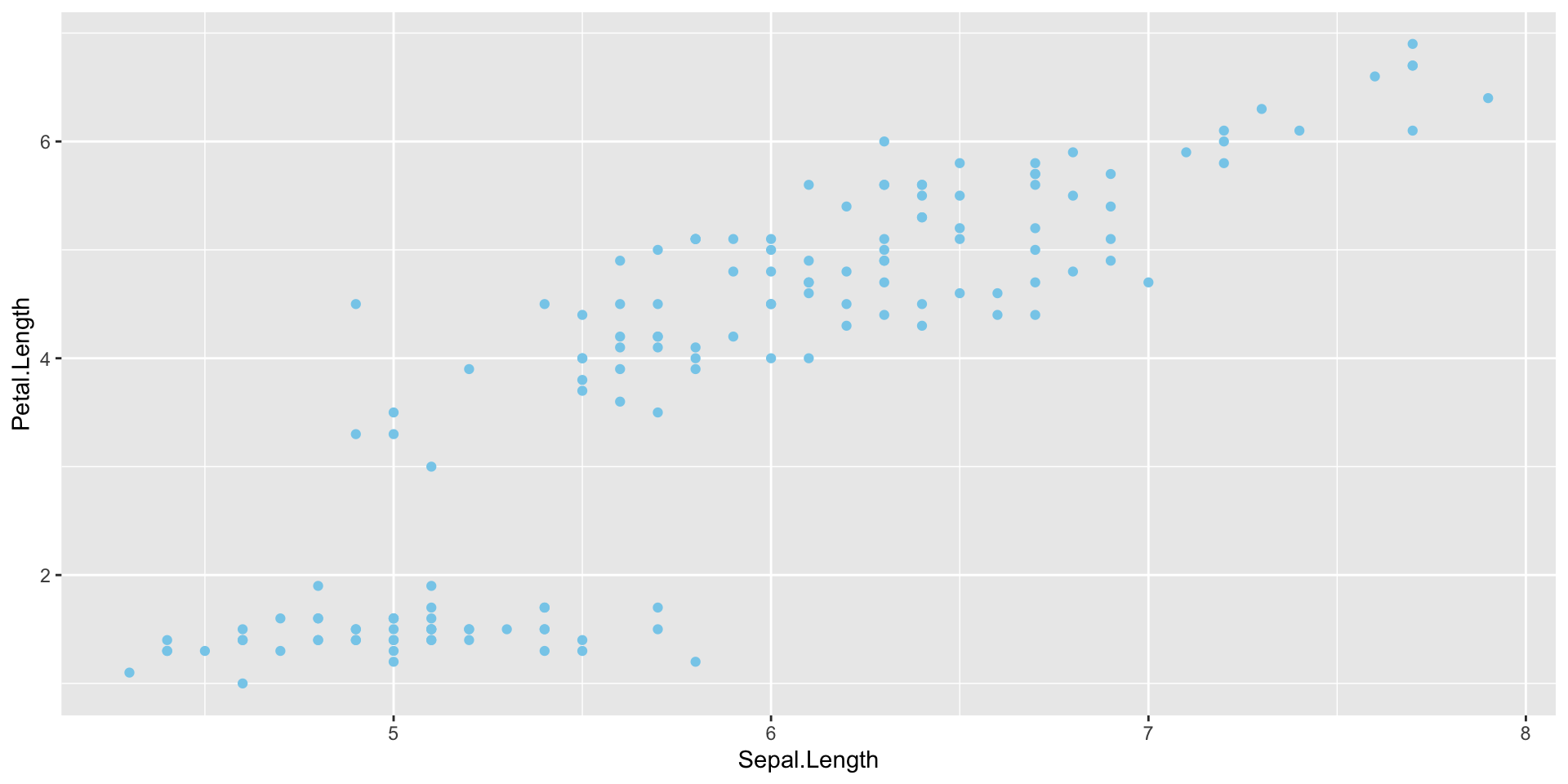
ggplot(data = iris)+
  geom_point(aes(x = Sepal.Length, y = Petal.Length), 
             colour = "skyblue")

If color defined outside of aes(), it will be used for all points

Introduction to ggplot2 package

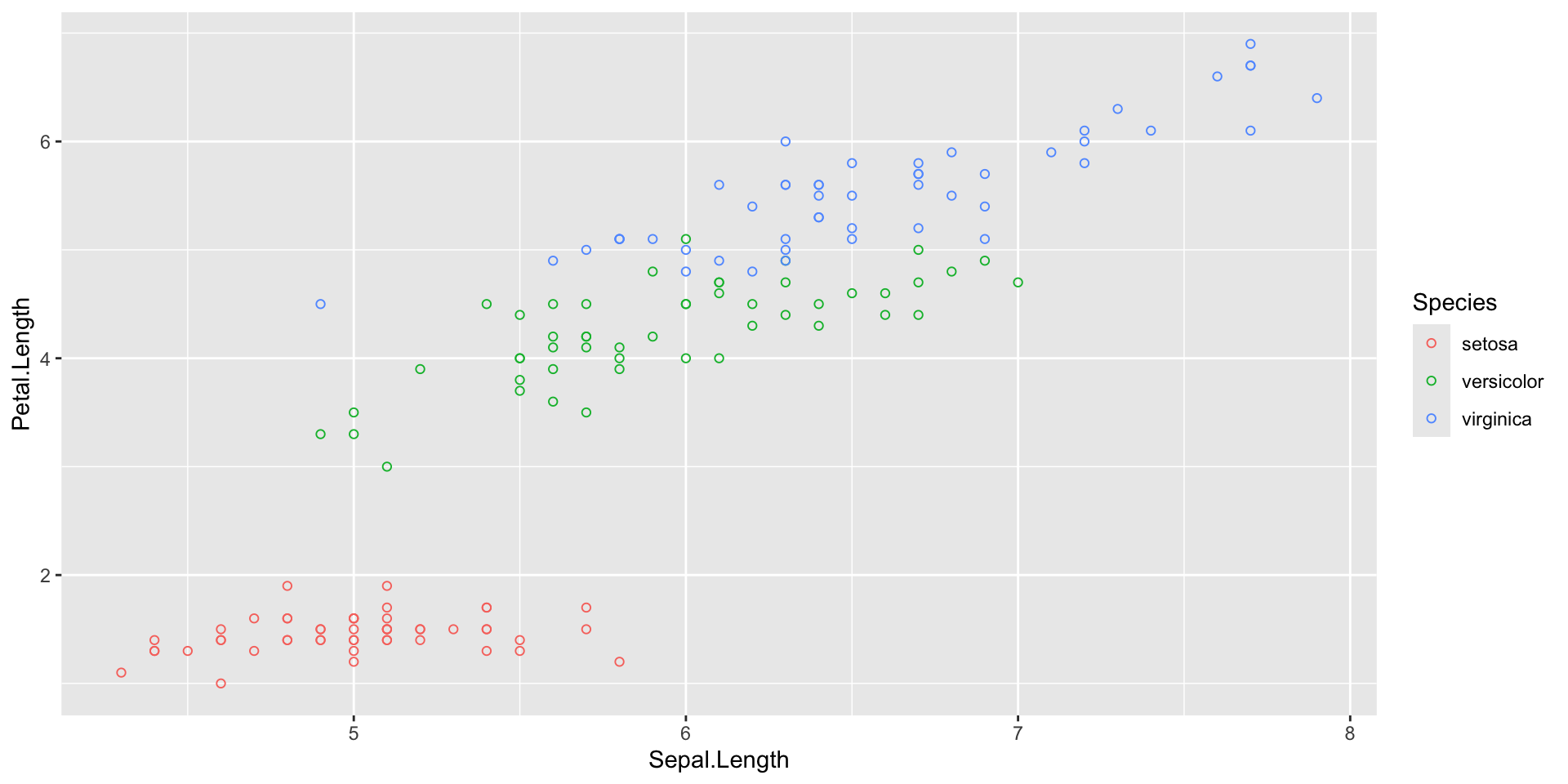
ggplot(data = iris)+
  geom_point(aes(x = Sepal.Length, y = Petal.Length, 
                 colour = Species),
             shape = 21)

Use one specific shape for all points (outside of aes())

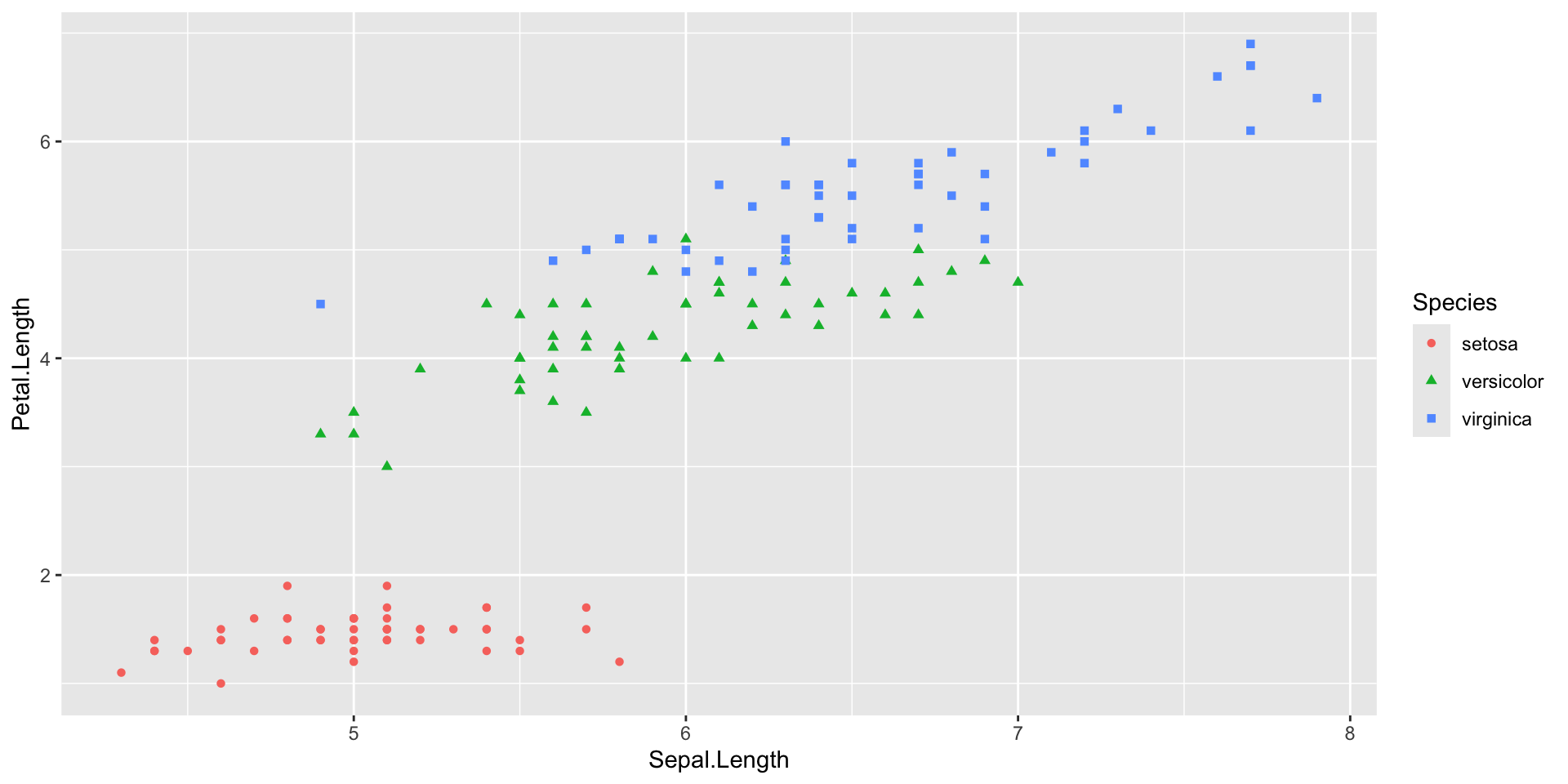
Introduction to ggplot2 package

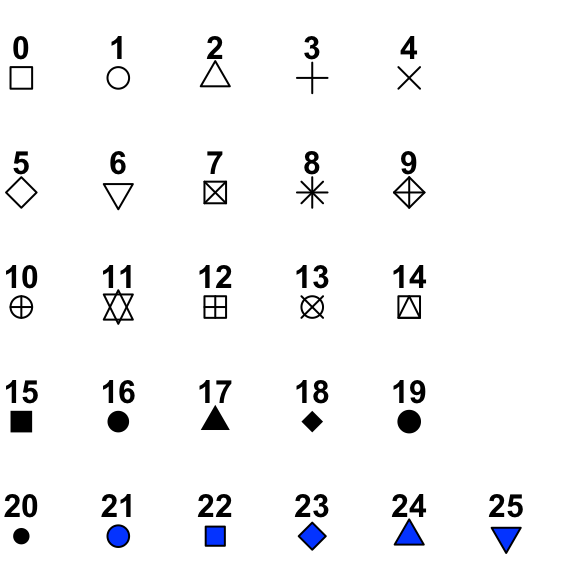
ggplot(data = iris)+
  geom_point(aes(x = Sepal.Length, y = Petal.Length, 
                 colour = Species, 
                 shape = Species))

Use different shapes depending on column (inside of aes())

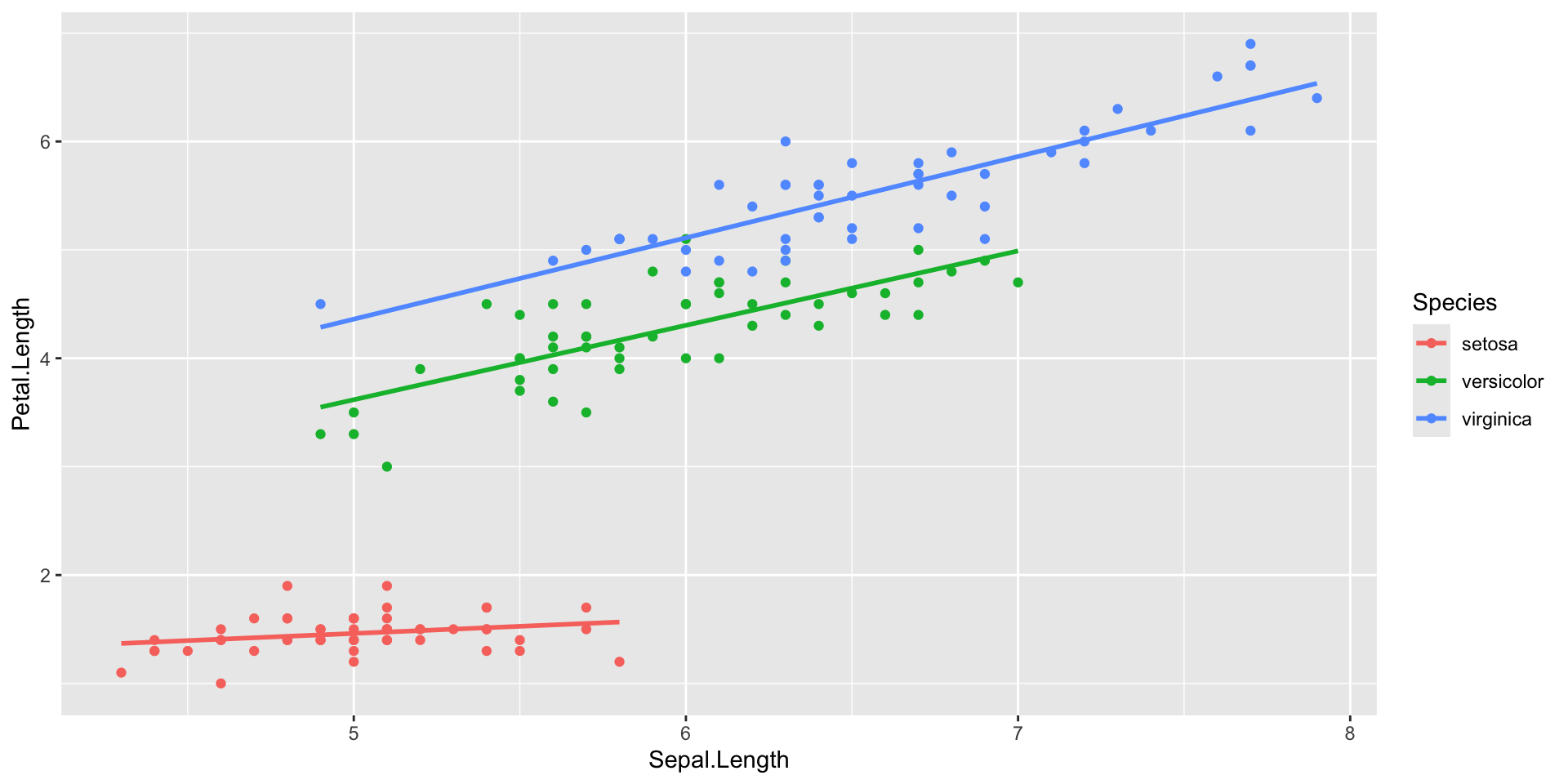
Introduction to ggplot2 package

ggplot(data = iris)+
  geom_point(aes(x = Sepal.Length, y = Petal.Length, 
                 colour = Species))+
  geom_smooth(aes(x = Sepal.Length, y = Petal.Length, 
                  colour = Species), 
              method = "lm", se = FALSE)

Add a second layer

Here, a visualization of a regression for the different Species

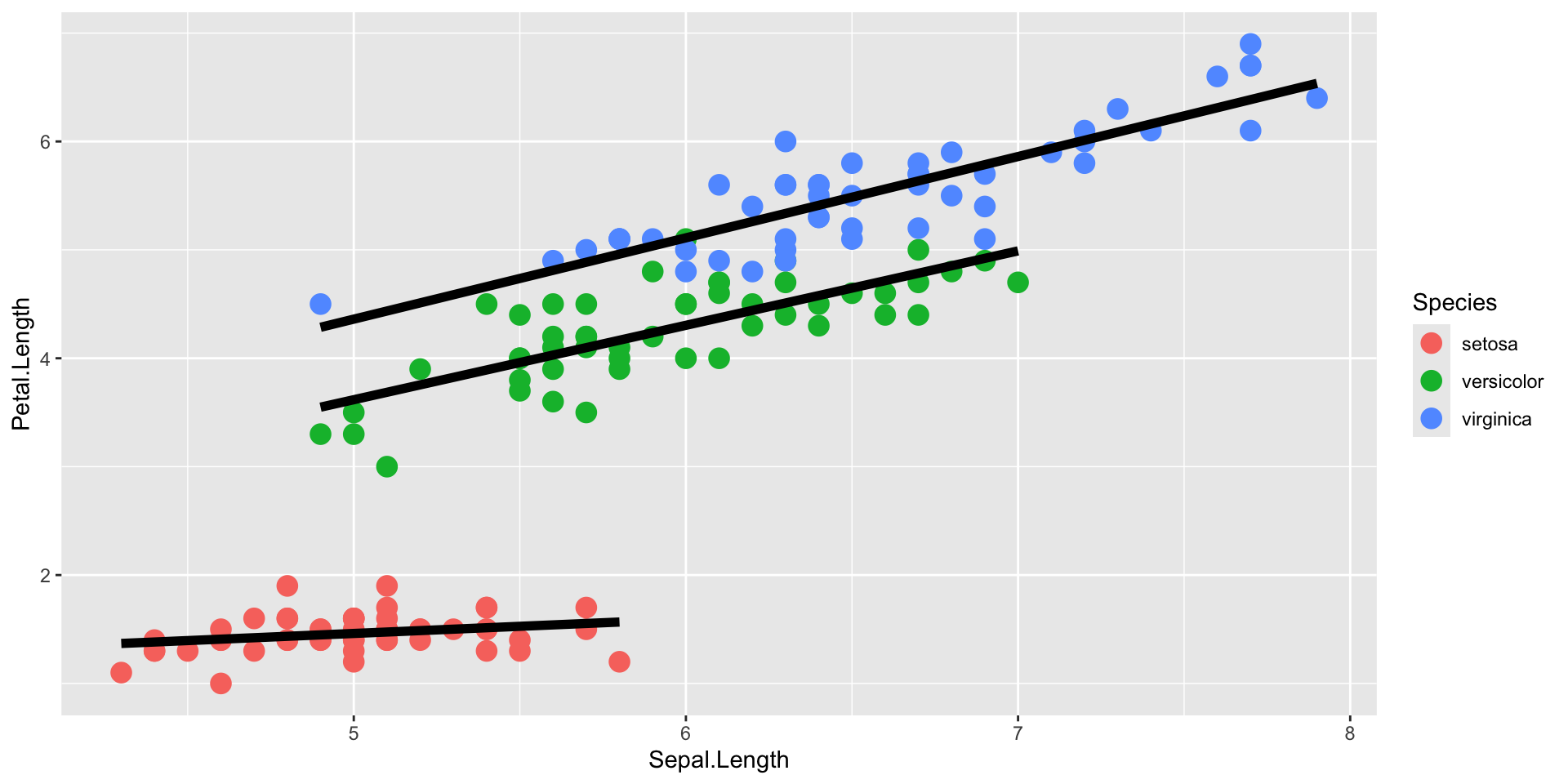
Introduction to ggplot2 package

ggplot(data = iris)+
  geom_point(aes(x = Sepal.Length, y = Petal.Length, 
                 colour = Species), size = 4)+
  geom_smooth(aes(x = Sepal.Length, y = Petal.Length, 
                  group = Species), 
              method = "lm", se = FALSE, colour = "black", linewidth = 2)

The order of the layers depends on the order in the code

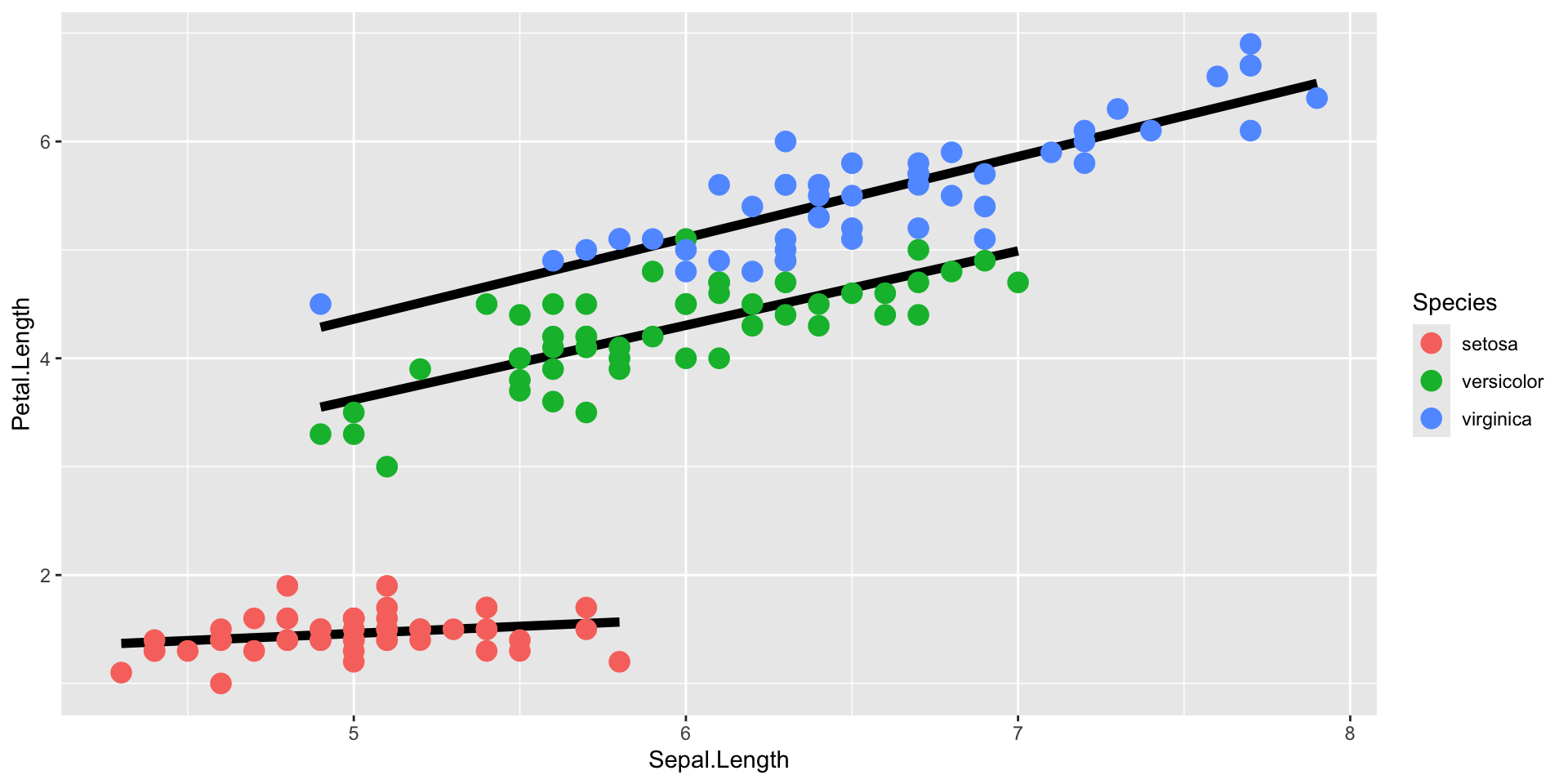
Introduction to ggplot2 package

ggplot(data = iris)+
  geom_smooth(aes(x = Sepal.Length, y = Petal.Length, 
                  group = Species), 
              method = "lm", se = FALSE, colour = "black", linewidth = 2)+
  geom_point(aes(x = Sepal.Length, y = Petal.Length, 
                 colour = Species), size = 4)

The order of the layers depends on the order in the code

Introduction to ggplot2 package

ggplot(data = iris, 
       aes(x = Sepal.Length, y = Petal.Length, 
           colour = Species))+
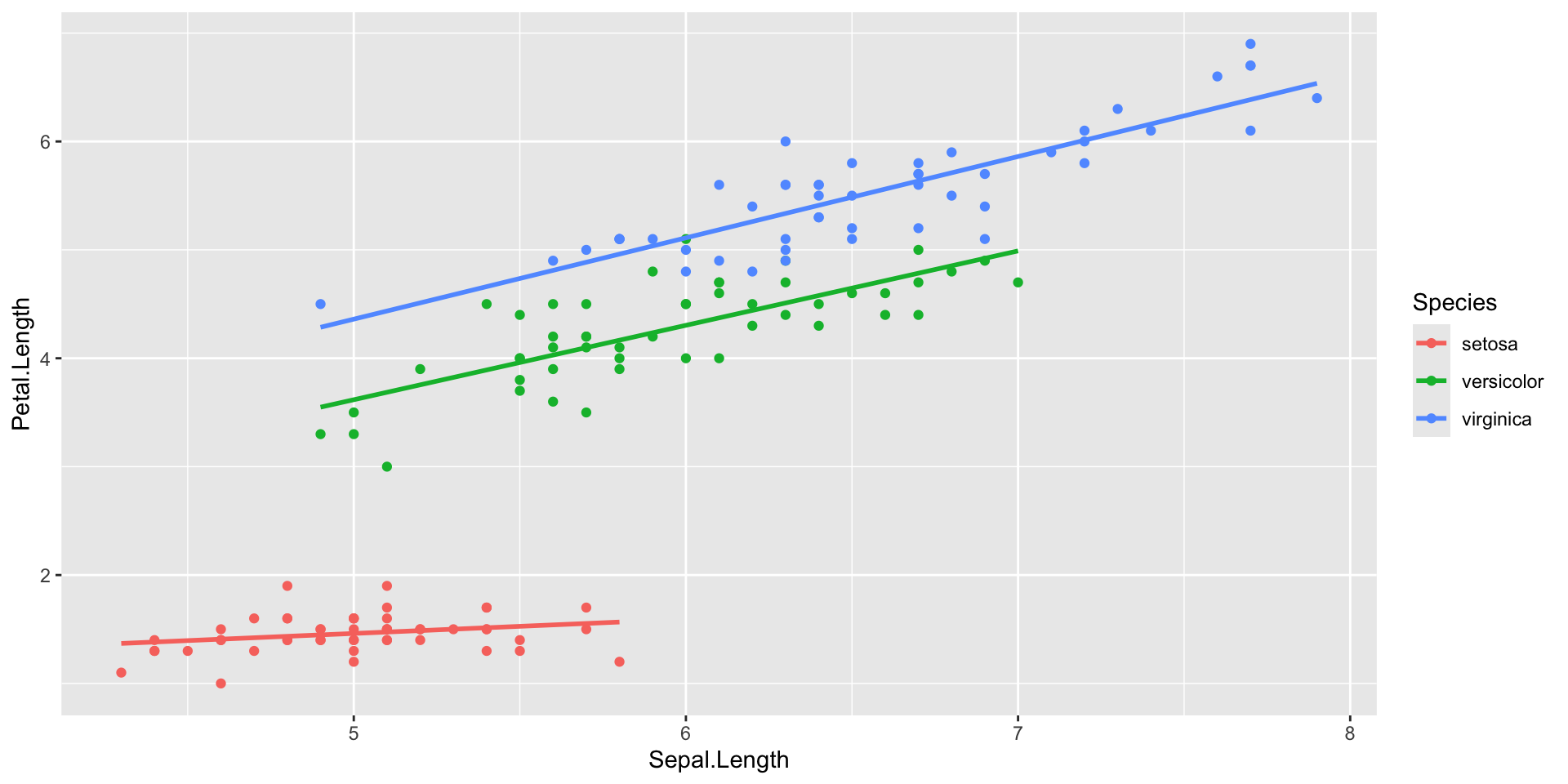
  geom_point()+
  geom_smooth(method = "lm", se = FALSE)

Everything defined in the “main” ggplot() function will be used for all layers

Introduction to ggplot2 package

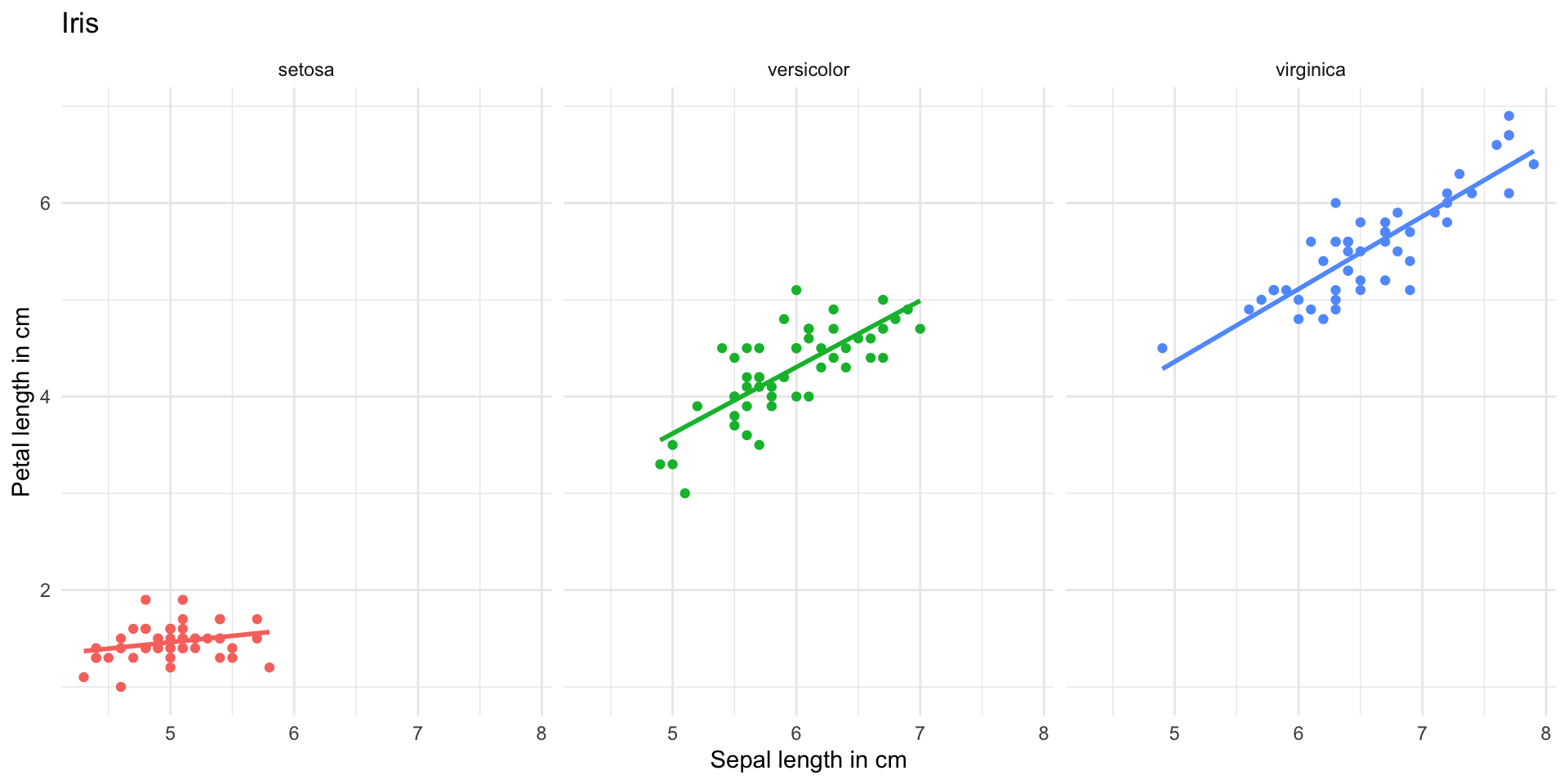
ggplot(data = iris, 
       aes(x = Sepal.Length, y = Petal.Length, 
           colour = Species))+
  geom_point()+
  geom_smooth(method = "lm", se = FALSE)+
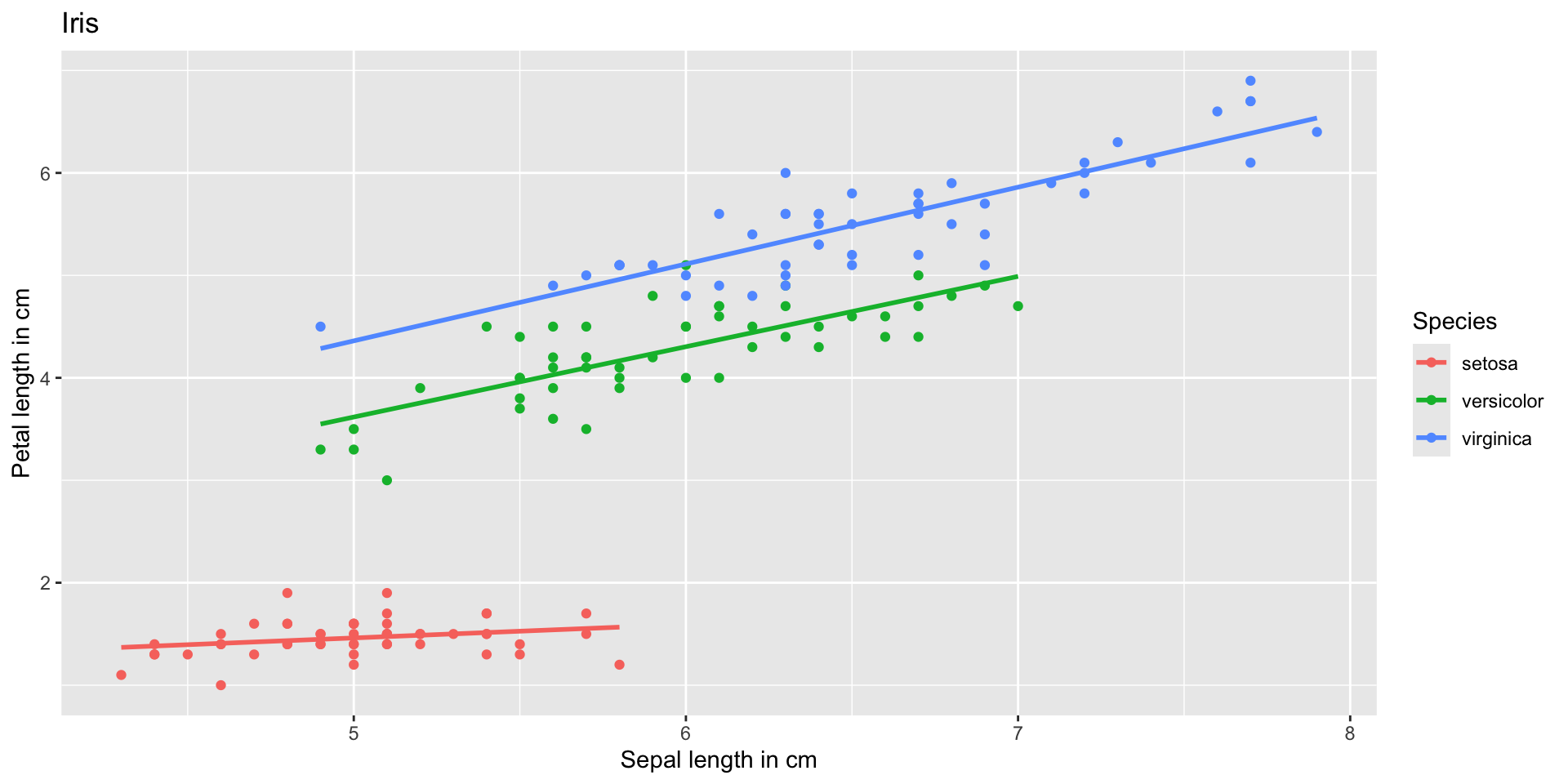
  labs(x = "Sepal length in cm", y = "Petal length in cm",
       title = "Iris")

Edit axis labels and titles

Introduction to ggplot2 package

ggplot(data = iris, 
       aes(x = Sepal.Length, y = Petal.Length, 
           colour = Species))+
  geom_point()+
  geom_smooth(method = "lm", se = FALSE)+
  labs(x = "Sepal length in cm", y = "Petal length in cm",
       title = "Iris")+
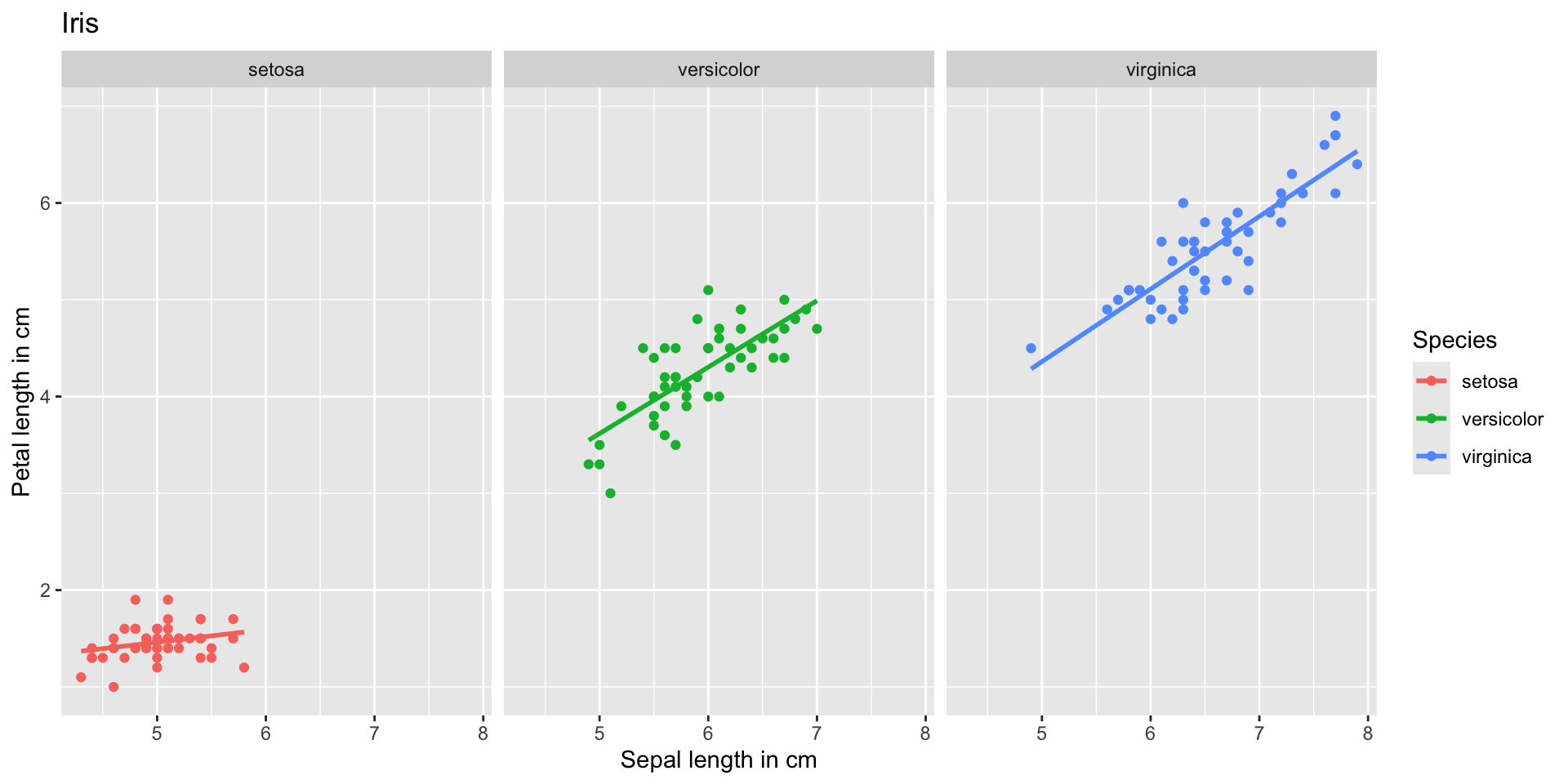
  facet_grid(~Species)

Divide into subplots depending on column

Introduction to ggplot2 package

ggplot(data = iris, 
       aes(x = Sepal.Length, y = Petal.Length, 
           colour = Species))+
  geom_point()+
  geom_smooth(method = "lm", se = FALSE)+
  labs(x = "Sepal length in cm", y = "Petal length in cm",
       title = "Iris")+
  facet_grid(~Species)+
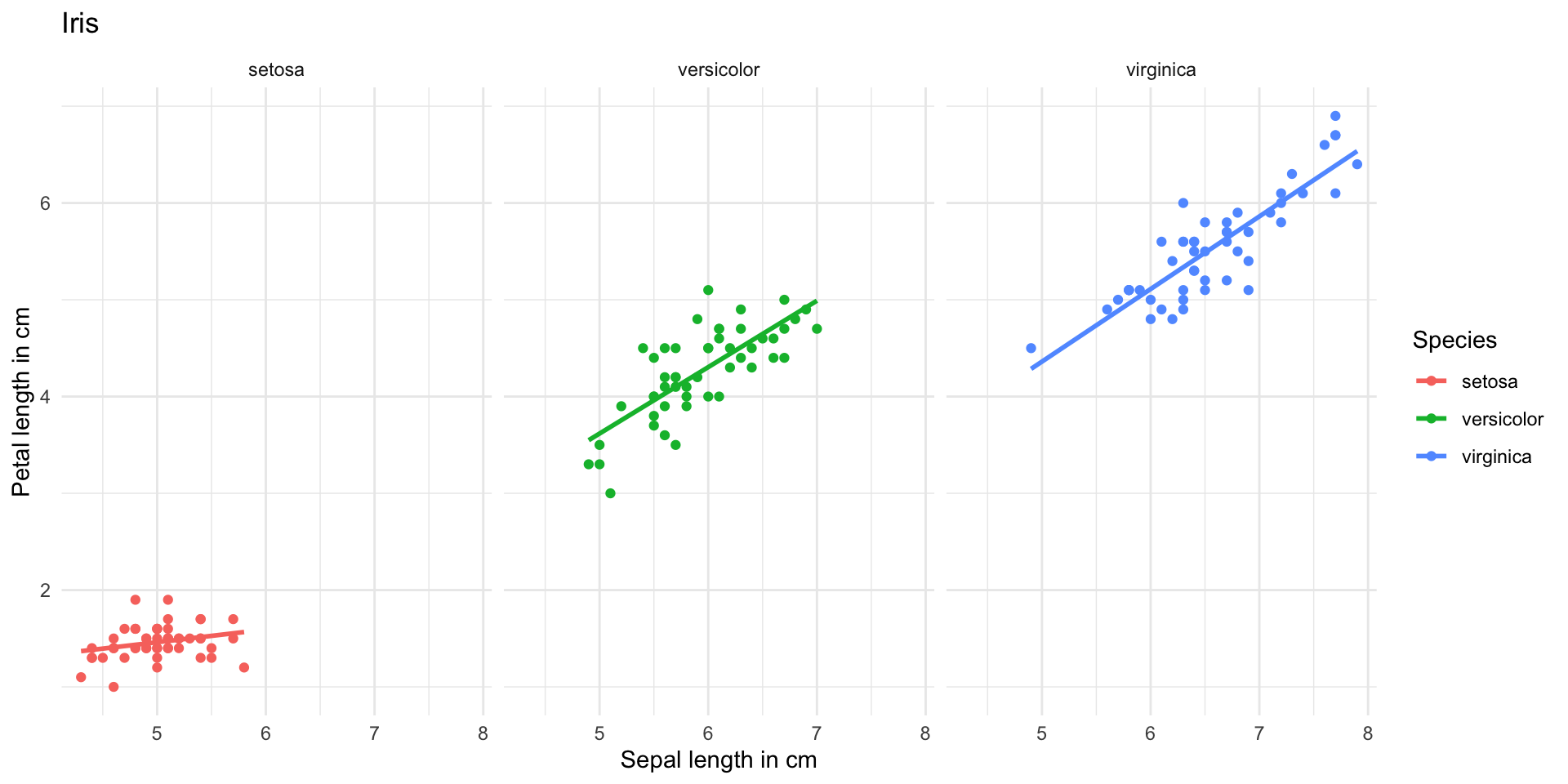
  theme_minimal()

Define style of plot

Introduction to ggplot2 package

ggplot(data = iris, 
       aes(x = Sepal.Length, y = Petal.Length, 
           colour = Species))+
  geom_point()+
  geom_smooth(method = "lm", se = FALSE)+
  labs(x = "Sepal length in cm", y = "Petal length in cm",
       title = "Iris")+
  facet_grid(~Species)+
  theme_minimal()+
  theme(legend.position = "None")

Define style of plot

Introduction to ggplot2 package

plot_iris <- ggplot(data = iris, 
       aes(x = Sepal.Length, y = Petal.Length, 
           colour = Species))+
  geom_point()+
  geom_smooth(method = "lm", se = FALSE)+
  labs(x = "Sepal length in cm", y = "Petal length in cm",
       title = "Iris")+
  facet_grid(~Species)+
  theme_minimal()+
  theme(legend.position = "None")

# to show it
plot_iris

Plots can be saved as a variable

Introduction to ggplot2 package

Save plots with ggsave()

ggsave(filename = "plot_iris.pdf",            # chose filename and file format (.png, .svg, .jpg, etc.)
       plot = plot_iris,                      # chose plot that should be saved
       width = 17 ,height = 8, units = "cm",  # chose size of saved plot
       scale = 1,                             # change size of all elements in plot. Smaller number -> larger
       path = "../plots")                     # location where plot should be saved

Introduction to ggplot2 package

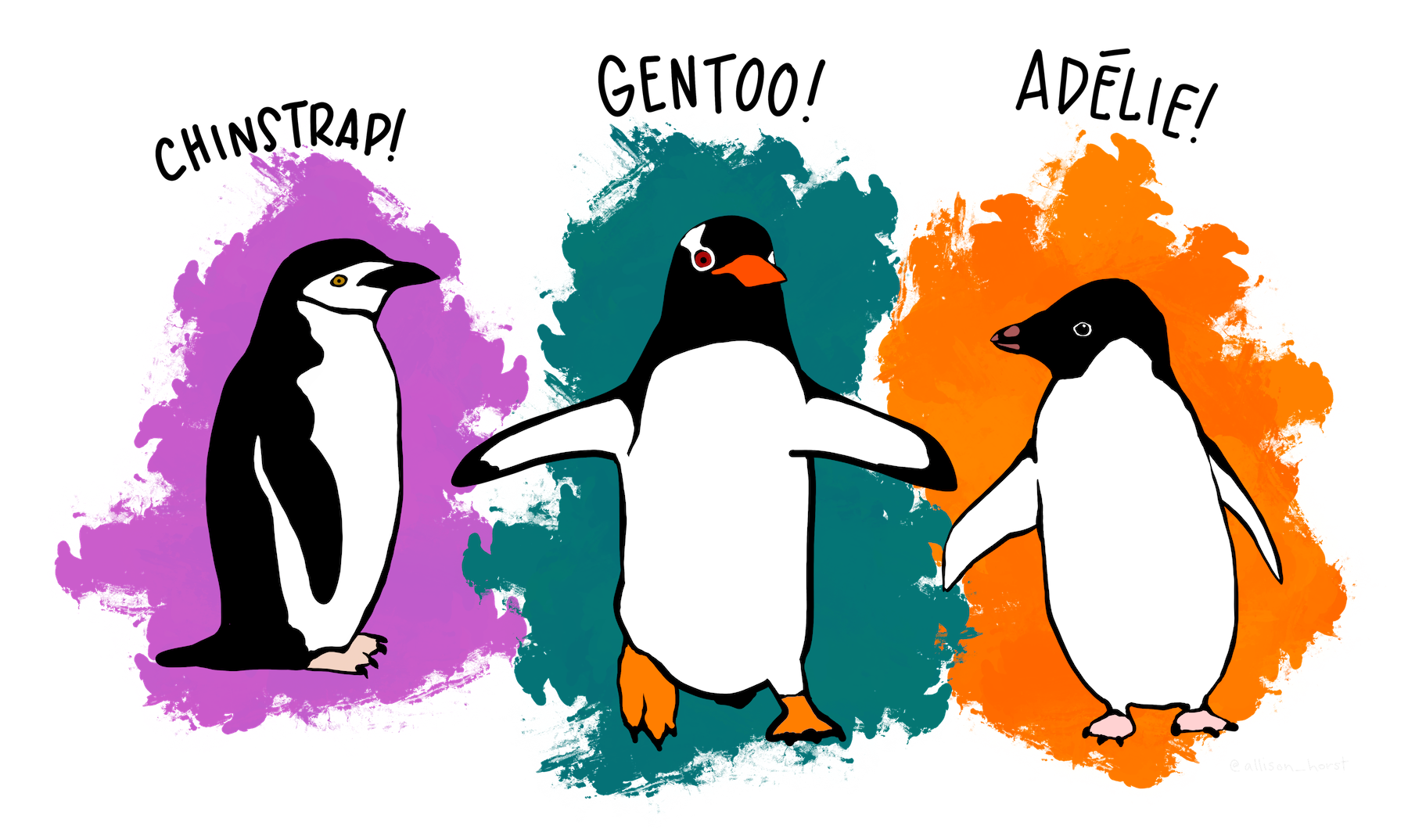
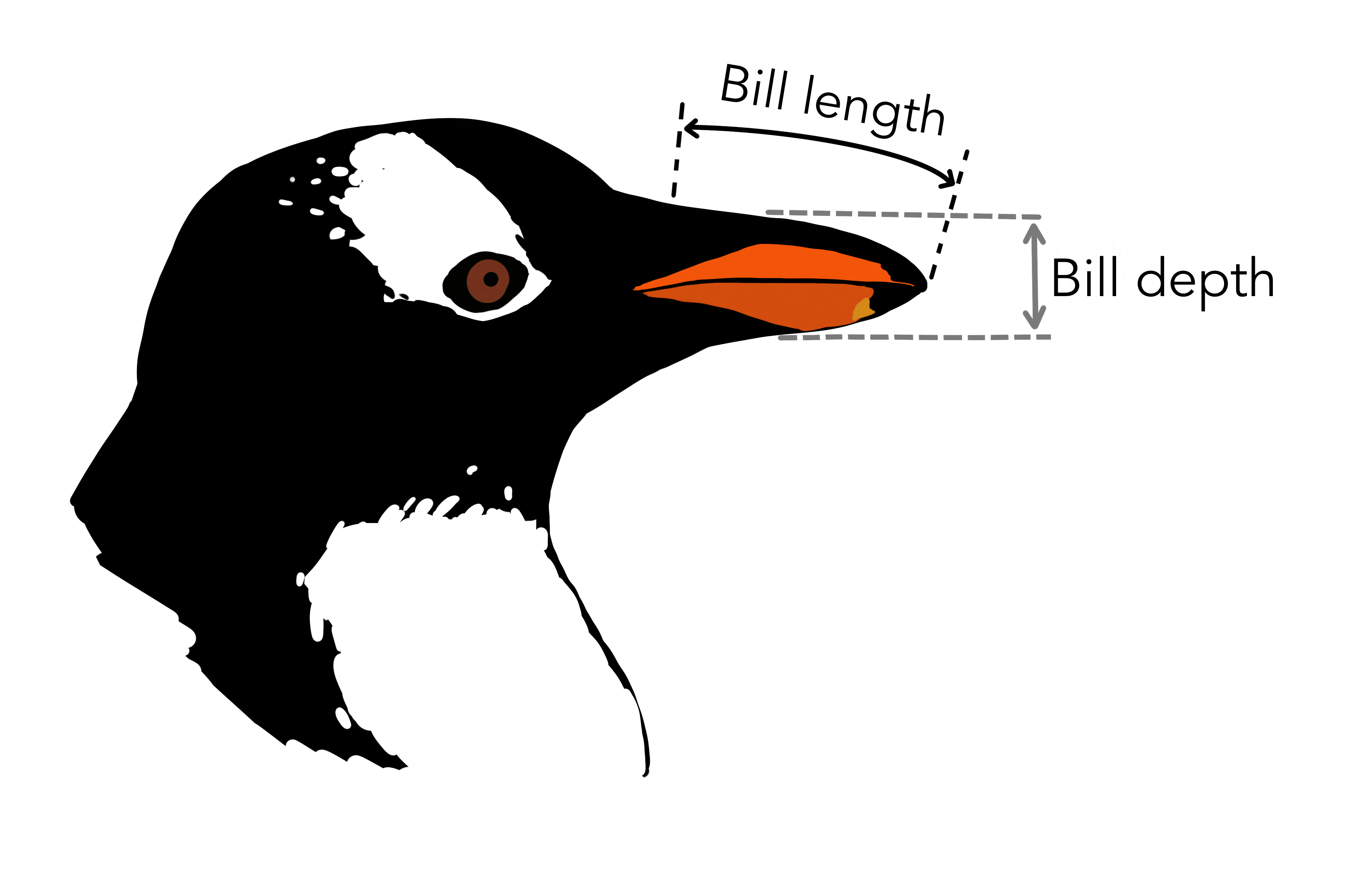
palmerpenguins is another R example data set with data on three penguin species
Introduction to ggplot2 package

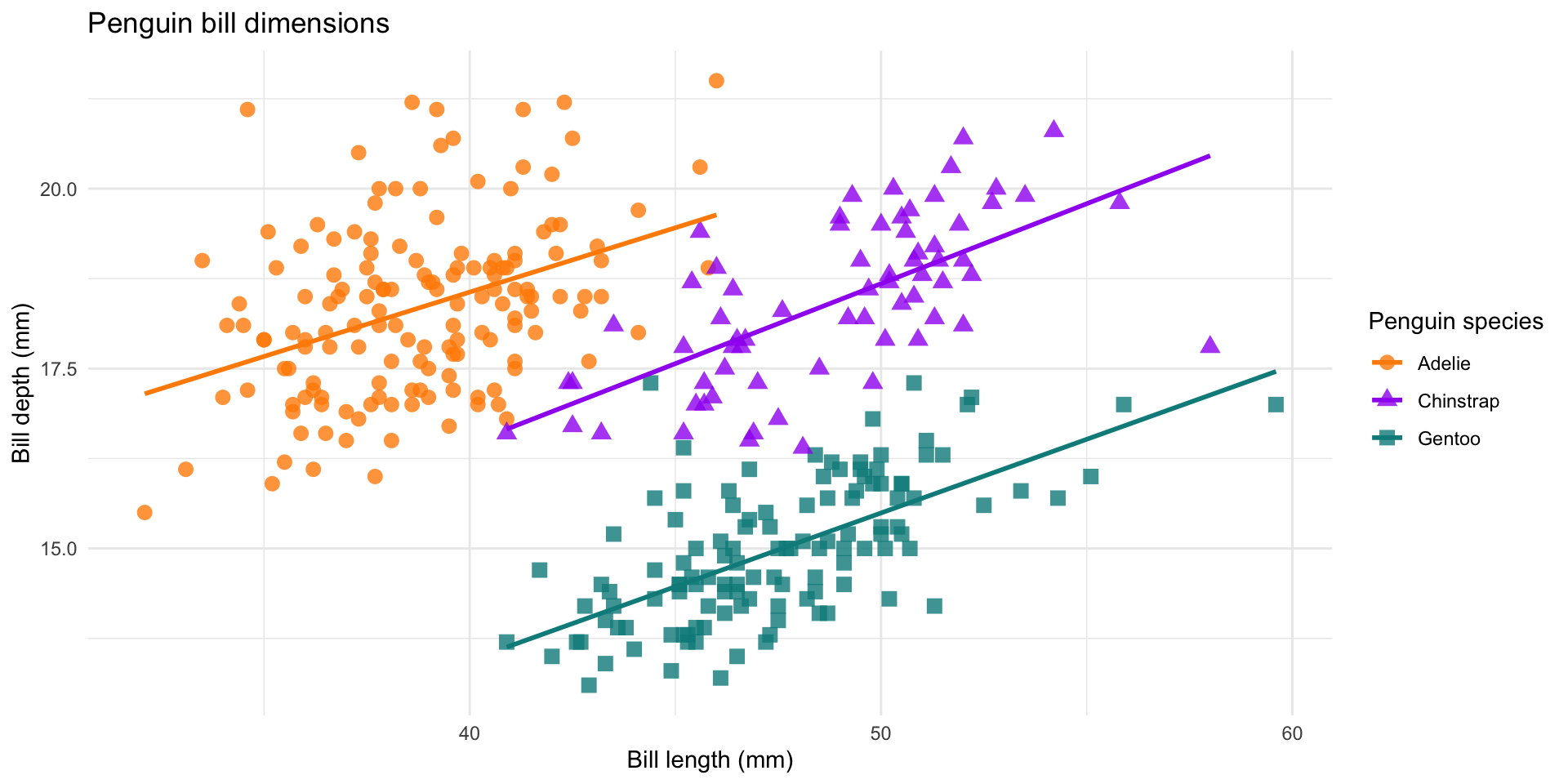
Task 1.2

Make a similar plot
Introduction to pipes

Imagine baking a cake

  1. Mix ingredients
  2. Bake
  3. Decorate
  4. Slice
  5. Eat

“Original” R way

mix(ingredients)

Introduction to pipes

Imagine baking a cake

  1. Mix ingredients
  2. Bake
  3. Decorate
  4. Slice
  5. Eat

“Original” R way

bake(mix(ingredients))

Introduction to pipes

Imagine baking a cake

  1. Mix ingredients
  2. Bake
  3. Decorate
  4. Slice
  5. Eat

“Original” R way

decorate(bake(mix(ingredients)))

Introduction to pipes

Imagine baking a cake

  1. Mix ingredients
  2. Bake
  3. Decorate
  4. Slice
  5. Eat

“Original” R way

slice(decorate(bake(mix(ingredients))))

Introduction to pipes

Imagine baking a cake

  1. Mix ingredients
  2. Bake
  3. Decorate
  4. Slice
  5. Eat

“Original” R way

eat(slice(decorate(bake(mix(ingredients)))))

Pipes (%>%)

ingredients %>% 
  mix() %>% 
  bake() %>% 
  decorate() %>% 
  slice() %>% 
  eat()

Introduction to pipes

iris %>% 
  mutate(petal_length_mm = Petal.Length * 10) %>% # create a new column with petal lenght in mm
  select(-Petal.Length) %>%                       # remove Petal.Length column
  filter(Species == "virginica") %>%              # filter for virginica
  arrange(petal_length_mm) %>%                    # sort according to petal_length_mm
  head(10)                                        # show first 10 rows
Sepal.Length Sepal.Width Petal.Length Petal.Width Species petal_length_mm
4.9 2.5 4.5 1.7 virginica 45
6.2 2.8 4.8 1.8 virginica 48
6.0 3.0 4.8 1.8 virginica 48
5.6 2.8 4.9 2.0 virginica 49
6.3 2.7 4.9 1.8 virginica 49
6.1 3.0 4.9 1.8 virginica 49
5.7 2.5 5.0 2.0 virginica 50
6.0 2.2 5.0 1.5 virginica 50
6.3 2.5 5.0 1.9 virginica 50
5.8 2.7 5.1 1.9 virginica 51

Introduction to dplyr package

Summarize data

1 iris %>%
2   group_by(Species) %>%
3   summarise(mean_petal_length = mean(Petal.Length),
4             mean_petal_width = mean(Petal.Width))
1
Take the iris data set
2
Perform following operations by group (here, per species)
3
Calculate mean of Petal.Length
4
Calculate mean of Petal.Width
Species mean_petal_length mean_petal_width
setosa 1.462 0.246
versicolor 4.260 1.326
virginica 5.552 2.026

Introduction to dplyr package

Task 1.3

Calculate the

  • mean mean()
  • standard deviation sd()
  • number of replicates (n())

of body_mass_g for the different species and sexes in dat_penguins.

species sex mean_body_mass_g sd_body_mass_g n
Adelie female 3368.836 269.3801 73
Adelie male 4043.493 346.8116 73
Adelie NA NA NA 6
Chinstrap female 3527.206 285.3339 34
Chinstrap male 3938.971 362.1376 34
Gentoo female 4679.741 281.5783 58
Gentoo male 5484.836 313.1586 61
Gentoo NA NA NA 5

Introduction to dplyr package

Useful for plotting

1 irisS <- iris %>%
2   group_by(Species) %>%
3   summarise(mean_petal_width = mean(Petal.Width),
4             sd_petal_width = sd(Petal.Width))

5 irisS
1
Take the iris data set and save results as irisS
2
For each species,
3
calculate the mean
4
and standard deviation
5
Show the summary data frame
Species mean_petal_width sd_petal_width
setosa 0.246 0.1053856
versicolor 1.326 0.1977527
virginica 2.026 0.2746501

Introduction to dplyr package

Useful for plotting

ggplot(data = irisS, aes(x = Species, colour = Species)) +      # Set up ggplot and columns used in all layers
  geom_point(data = iris, aes(y = Petal.Width),                 # Take raw date for point layer
             position = position_jitter()) +                    # Shuffle points along x axis
  geom_errorbar(aes(ymin = mean_petal_width - sd_petal_width,   # Take summary data for errorbars
                    ymax = mean_petal_width + sd_petal_width),
                width = 0.2) +
  geom_point(data = irisS, aes(y = mean_petal_width),           # Plot the mean on top
             shape = 21, size = 3, fill = "white") +            # with a larger point
  theme_classic()+
  theme(legend.position = "None")
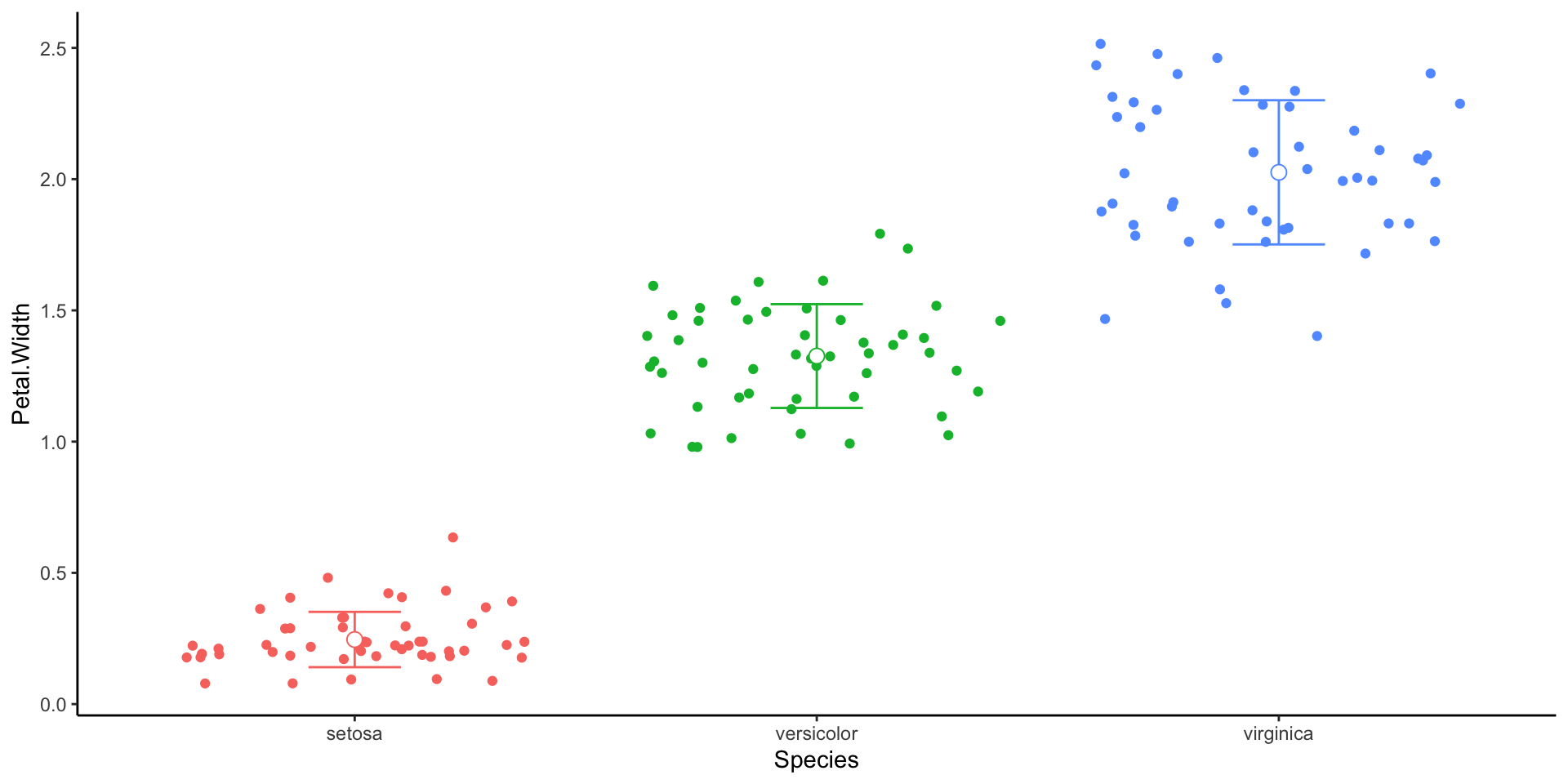
Data format

Wide format

Easy to read

year best_film best_soundtrack
2015 Birdman The Grand Budapest Hotel
2016 Spotlight The Hateful Eight
2017 Moonlight La La Land
2018 The Shape of Water The Shape of Water
2019 Green Book Black Panther
2020 Parasite Joker
2021 Nomadland Soul
2022 CODA Dune
2023 Everything Everywhere All at Once All Quiet on the Western Front
2024 Oppenheimer Oppenheimer
2025 Anora The Brutalist

Long format

Easy to use in R

year category winner
2015 best_film Birdman
2015 best_soundtrack The Grand Budapest Hotel
2016 best_film Spotlight
2016 best_soundtrack The Hateful Eight
... ... ...
... ... ...
... ... ...
2024 best_film Oppenheimer
2024 best_soundtrack Oppenheimer
2025 best_film Anora
2025 best_soundtrack The Brutalist

From Wide to long

df_oscars_W %>%                                           # Take data in wide format
   pivot_longer(cols = c("best_film", "best_soundtrack"), # Select columns that will be used as variable names
                                                          # Columns not selected (here `year`)
                                                          #    will be used for values
                names_to = "category",                    # Define name of variable name column     
                values_to = "winner")                     # Define name of value column    

Before

year best_film best_soundtrack
2015 Birdman The Grand Budapest Hotel
2016 Spotlight The Hateful Eight
2017 Moonlight La La Land
2018 The Shape of Water The Shape of Water
2019 Green Book Black Panther
2020 Parasite Joker
2021 Nomadland Soul
2022 CODA Dune
2023 Everything Everywhere All at Once All Quiet on the Western Front
2024 Oppenheimer Oppenheimer
2025 Anora The Brutalist

After

year category winner
2015 best_film Birdman
2015 best_soundtrack The Grand Budapest Hotel
2016 best_film Spotlight
2016 best_soundtrack The Hateful Eight
... ... ...
... ... ...
... ... ...
... ... ...
2024 best_film Oppenheimer
2024 best_soundtrack Oppenheimer
2025 best_film Anora
2025 best_soundtrack The Brutalist

From Long to wide

df_oscars_L %>%                          # take data in long format
   pivot_wider(names_from = "category",  # select column used to store variable names
               values_from = "winner")   # select column used to store values

Before

year category winner
2015 best_film Birdman
2015 best_soundtrack The Grand Budapest Hotel
2016 best_film Spotlight
2016 best_soundtrack The Hateful Eight
... ... ...
... ... ...
... ... ...
... ... ...
2024 best_film Oppenheimer
2024 best_soundtrack Oppenheimer
2025 best_film Anora
2025 best_soundtrack The Brutalist

After

year best_film best_soundtrack
2015 Birdman The Grand Budapest Hotel
2016 Spotlight The Hateful Eight
2017 Moonlight La La Land
2018 The Shape of Water The Shape of Water
2019 Green Book Black Panther
2020 Parasite Joker
2021 Nomadland Soul
2022 CODA Dune
2023 Everything Everywhere All at Once All Quiet on the Western Front
2024 Oppenheimer Oppenheimer
2025 Anora The Brutalist

Data format

Task 1.4

Take the dat_penguins data and

  • calculate the mean body_mass_g per year and species
  • change the format from long to wide, year should be distributed across columns
species 2007 2008 2009
Adelie NA 3742.000 3664.904
Chinstrap 3694.231 3800.000 3725.000
Gentoo 5070.588 5019.565 NA

Bonus

Why are there NA values and how can you avoid it?

General Tips


General Tips

  • When preparing data in Excel, don’t merge cells, use empty cells for formatting, or use color as information

  • Column names should not contain spaces

  • Start file names with date (format yyyy_mm_dd) for chronological sorting

  • Avoid spaces in file names

# easy
data %>% 
  select(column_name)

# causes error
data %>% 
  select(column name)

# annoying
data %>% 
  select(`column name`)

janitor package can automatically clean up column names:

data <- data %>% 
  clean_names()

Read more

R for Data Science

Free eBook with basics of R

Reproducible research

Guide by British Ecological Society with tips to keep data organized